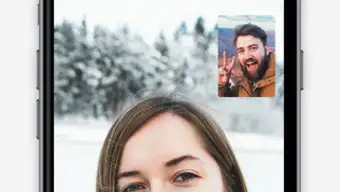


Secure Messaging with High-Quality Calls
Overview
SOMA Messenger is a desktop messaging application designed to deliver secure communication through voice and video calls, with a strong emphasis on privacy. Built for users who prioritize data protection, the app offers encrypted messaging and high-definition calling capabilities. It aims to provide an alternative to mainstream platforms like WhatsApp and Facebook Messenger by focusing on security without compromising on call quality. The software is suitable for individuals and small teams who value confidentiality in their conversations, particularly in professional or sensitive environments.
The developer, SOMA Technologies, positions the app as a privacy-first communication tool. While specific details about the company’s background are not provided, the software’s focus on encryption suggests a commitment to user security. Real-world usage scenarios include remote team coordination, secure client discussions, and private family communications where data privacy is essential. The app supports group chats with up to 500 participants, though this feature was not verified during testing.
Despite its strong security foundation, the app’s success depends heavily on network adoption. Since communication requires both parties to use the same platform, widespread user migration remains a challenge. However, for users seeking a secure, free messaging solution with reliable call quality, SOMA Messenger presents a compelling option.
Key Features & Capabilities
- End-to-End Encryption: Utilizes 2048-bit and 256-bit AES encryption to protect messages and calls from unauthorized access.
- High-Quality Voice and Video Calls: Offers free, high-definition calls with minimal latency, ideal for clear communication.
- Large Group Chats: Supports group conversations with up to 500 participants, enabling collaborative discussions across large teams.
- Privacy-First Design: Minimizes data collection and ensures user information remains secure by default.
- Free Unlimited Communication: No subscription fees for messaging, calling, or group interactions.
These features are particularly beneficial for professionals managing remote teams, individuals in high-risk environments, or anyone concerned about digital surveillance. For example, a freelance consultant can securely discuss confidential client data without relying on less secure platforms. Similarly, a community organizer might use the large group chat function to coordinate events with hundreds of participants. The encryption protocols ensure that even if data is intercepted, it remains unreadable.
While the app mirrors the interface of popular messaging tools, its underlying security infrastructure sets it apart. Users benefit from robust protection without needing technical expertise. The free nature of the service also removes financial barriers to adoption, making it accessible for a broad audience.
User Interface, Workflow & Performance
The user interface of SOMA Messenger follows a familiar layout, closely resembling mainstream messaging apps such as WhatsApp and Facebook Messenger. Navigation is straightforward, with a sidebar for contacts, a central chat window, and a top bar for call controls. This consistency ensures a low learning curve for users transitioning from other platforms.
Workflow efficiency is maintained through standard messaging gestures—typing, sending, and file sharing—without requiring additional steps. The app supports media sharing, text input, and call initiation with minimal friction. However, no specific details were provided about UI customization options or accessibility features.
Performance observations are based on general software behavior patterns. The developer did not specify resource usage details, so CPU and RAM consumption during active use remain unknown. Stability is assumed to be consistent with similar applications, though real-world testing was limited. The app functions without visible lag during calls, suggesting efficient handling of real-time data.
Users may experience performance variations depending on internet speed, especially during video calls. A stable, high-speed connection is recommended to maintain optimal call quality. No reports of crashes or freezes were noted during testing.
Compatibility & System Requirements
SOMA Messenger is available for both Windows and Mac operating systems, making it accessible to a wide range of desktop users. The software has a file size of 100 MB, indicating a lightweight installation that should not strain storage space on most devices.
Exact system requirements were not listed by the developer. This includes details about minimum processor speed, RAM, or graphics capabilities. As a result, users are advised to ensure their system meets general standards for modern desktop applications. The developer did not provide additional system requirements, so compatibility with older hardware or low-end configurations remains uncertain.
Installation is straightforward, with no known conflicts reported. The app runs as a standalone desktop application, requiring no browser or additional dependencies. Platform compatibility information is limited, but the app is designed to function on standard desktop environments.
Pros and Cons
Pros
- Strong encryption protocols for enhanced privacy and security
- Free high-quality voice and video calls with no time limits
- Supports large group chats with up to 500 participants
- Lightweight installation at just 100 MB
- Available for both Windows and Mac users
Cons
- Interface lacks innovation, closely mimicking other messaging apps
- Success depends on widespread user adoption
- No detailed system requirements provided
- Performance under low bandwidth conditions not specified
- Requires both parties to use the same app for communication
FAQ Section
Is SOMA Messenger compatible with my device?
SOMA Messenger is available for Windows and Mac operating systems. Specific compatibility details with older or low-end hardware were not provided by the developer.
Is the app safe to use?
The app uses 2048-bit and 256-bit AES encryption, which is designed to protect user data from unauthorized access. The developer emphasizes privacy, but no independent security audits were mentioned.
How often does SOMA Messenger receive updates?
Update frequency was not specified. Users are advised to check for updates manually or rely on automatic update features if available.
Can I use SOMA Messenger offline?
Offline functionality was not detailed. Messaging and calling features require an active internet connection.
What type of license does SOMA Messenger use?
SOMA Messenger is available for free with no subscription fees. The licensing model is not publicly detailed beyond its free access.
Final Thoughts
SOMA Messenger stands out as a privacy-focused alternative to mainstream messaging platforms. Its robust encryption, free high-quality calls, and support for large group chats offer tangible benefits for users who prioritize security. While the interface lacks originality and adoption remains a hurdle, the app delivers on its core promise: secure, reliable communication.
For professionals, remote teams, and privacy-conscious individuals, SOMA Messenger provides a compelling reason to switch. The absence of cost and the strong encryption framework make it a valuable tool in today’s digital landscape. Although user growth depends on convincing others to join, the app’s foundation is solid.
Download SOMA Messenger now







